Wedding Photo Privacy Without the Panic
The short answer
Most of the scary 2026 privacy laws, including BIPA, MHMDA, the EU AI Act, and the TAKE IT DOWN Act, don't apply to an ordinary wedding gallery. What actually leaks is narrower: EXIF GPS on public posts, and the 2026 reality that a vision-language model can geolocate a photo from the scene alone. Afternoon's worth of fixes closes the gap.
Monday morning. The cards are pulled from Saturday's Sedona wedding. 2,200 frames between two bodies, a ceremony at the chapel, a rooftop cocktail hour, the couple's dog in a bow tie. Your phone buzzes. It's a text from last June's bride. Did you see this?
Screenshot attached. A stranger reverse-searched two of her ceremony photos through PimEyes, matched her name, and messaged her on Instagram about the dress. The gallery was unlisted. The photos had her face but no EXIF GPS. You know, because you stripped everything before you delivered.
So how did someone find her.
The answer is that in 2026, stripping metadata is the beginning of wedding photo privacy, not the end.
Somewhere between the "privacy regulation is coming for wedding photographers" headlines and the "the platform handles it" shrug, there is a short list of things that actually leak and a short list of fixes that actually work. Almost nothing you have been told to worry about is in the first list.
A note before we start. I'm a photographer, but I don't shoot weddings. The scar tissue in this post comes from my father-in-law, who shot weddings in Traverse City, Michigan for years, and from the workflow and client-privacy patterns wedding pros describe in community forums and industry writeups. The legal and technical review behind it came from a pass of 2024 to 2026 case law, regulator filings, and one ICLR paper you may not have read yet.
The real question isn't "what does the law require?"
The headlines have been consistent. Wedding photographers, here comes privacy regulation. State biometric laws. The EU AI Act. BIPA class actions. The TAKE IT DOWN Act. A lot of it sounds load-bearing.
Most of it does not apply to you.
| Law | Targets | Applies to an ordinary wedding gallery? |
|---|---|---|
| BIPA (Illinois) | Face-template extraction and biometric identification systems | No, unless you run face-clustering AI on the gallery yourself |
| MHMDA (Washington), CUBI (Texas) | Biometric identifiers processed for recognition | No, same carve-out |
| Colorado AI Act (SB 205) | High-risk AI decision systems | No |
| EU AI Act Article 5 | Untargeted facial-recognition scraping (Clearview-style) | No. You are not a scraper |
| TAKE IT DOWN Act | Platforms hosting NCII and sexual deepfakes | No. Regulates platforms and requires 48-hour NCII takedown |
| GDPR Article 6 | Personal data, including photos of identifiable EU persons | Yes, but your lawful basis is almost always the client contract |
| GDPR Article 9 | Biometric data used for unique identification | No. Per EDPB Guidelines 3/2019, a photo is not biometric data until a face template is extracted |
| CCPA/CPRA | Photos as personal information when linkable | Only if you gross over $25M or hit the 100,000-consumer threshold. Almost no sole-proprietor studio does |
The rows that require real care sit at the top. If you run face-clustering AI on your client galleries (Aftershoot's face-match, SmugMug's AI search, Pic-Time's face-grouping delivery) in a state with a biometric-identifier law, you can plausibly step into BIPA, MHMDA, or CUBI territory.
The math is better than it used to be. WilmerHale's 2024 BIPA review walks through the August 2024 amendment and the 7th Circuit ruling this April that applied it retroactively. Damages got capped at one recovery per person instead of per scan. That is better math for you. It did not zero out the exposure.
The one action that moves you from 'not covered' to 'maybe covered'
Running face-clustering or face-search AI on a client gallery, without a visible disclosure, when the gallery includes subjects from Illinois, Washington, or Texas. That single step plausibly reclassifies your workflow under BIPA, MHMDA, or CUBI. Platform AI features are one thing when the platform handles the disclosure. Your own locally-run clustering is the pattern to pause on.
The rest of the scary list is aimed at scrapers, platform operators, and the largest SaaS companies in your category. It is aimed at Clearview. It is aimed at Pic-Time at Pic-Time's scale. It is not aimed at you with your card reader.
What actually leaks in a wedding gallery
Law is the wrong framing for your real exposure. Law tells you what you are required to do. Law does not tell you what will leak on a Tuesday night when a stranger recognizes your bride in a cocktail-hour frame.
Two things actually leak in 2026.
EXIF GPS on public posts
A modern mirrorless writes GPS coordinates into every frame when phone pairing is on. Your delivery gallery probably strips them. Your preview reel on Instagram usually strips them. Your preview on your own studio blog probably does not. You uploaded the same JPEG you culled and never stripped it yourself.
Platforms strip inconsistently:
- Instagram feed, Reels, Stories: strip GPS and most camera fields on upload.
- Instagram DMs: documented gaps on the higher-quality upload paths.
- Facebook: strips.
- Twitter/X web and official apps: strip. API uploads through Buffer, Hootsuite, or Later retain device model in a measurable fraction of posts.
- Discord: strips JPEG EXIF but leaves PNG EXIF intact. Real doxing incidents have started there.
- Your studio blog, your sneak-peek email, your Pinterest pin: no strip unless you did it yourself.
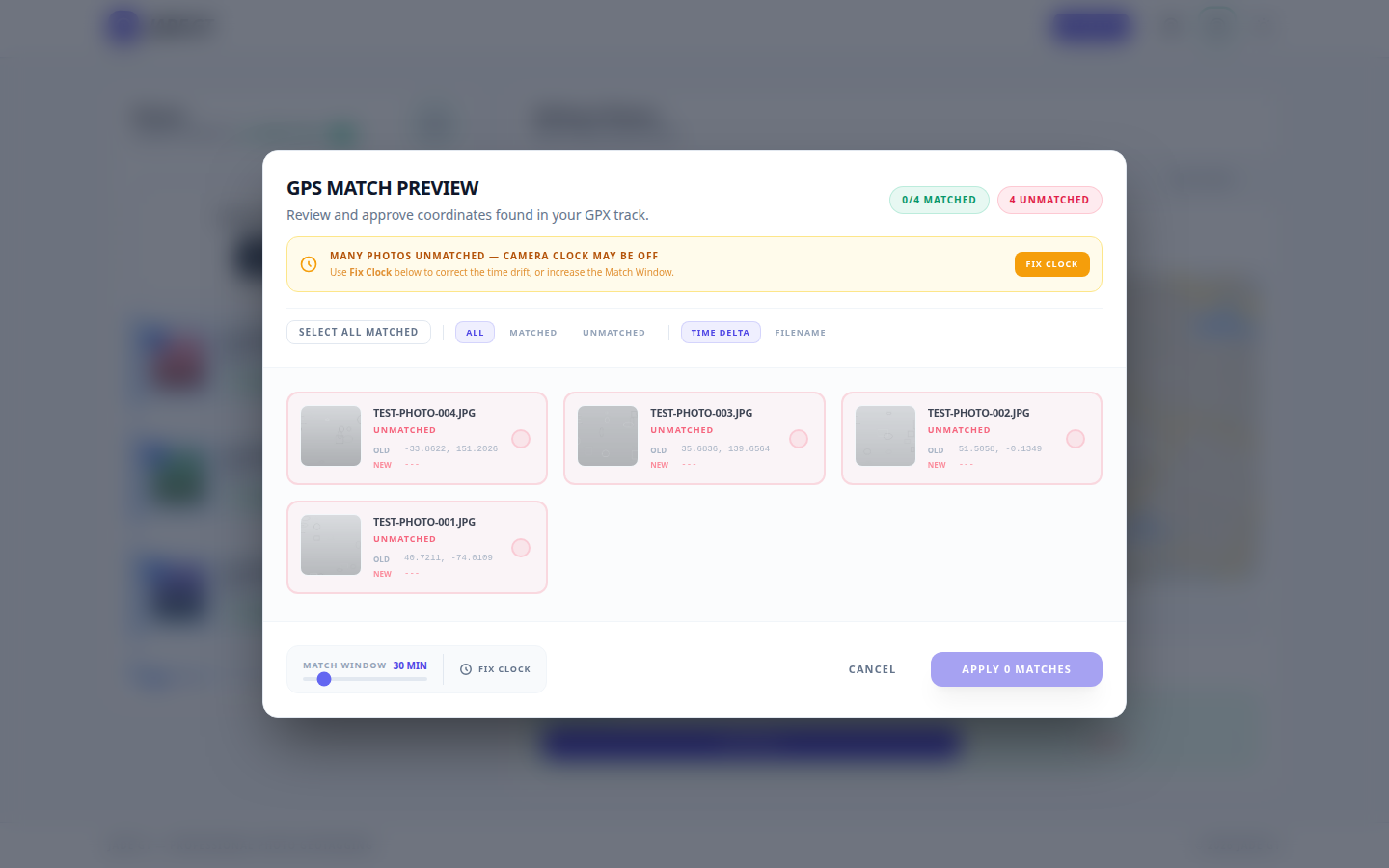
The fix is cheap. Strip EXIF locally before any upload. ExifTool is the gold-standard engine; the Freedom of the Press Foundation metadata guide walks through the command-line path. If the terminal is not your studio's speed, Jade GT runs the same ExifTool engine in your browser, no CLI and no learning curve. Either path keeps the strip on your machine, not in a cloud tool that uploads the files first. The opposite gesture, adding GPS back when you want a travel frame located, has its own post.
The scene content itself: a 2026 problem
This is the one photographers have not caught up on yet.
In 2026, a vision-language model can look at a photo and geolocate it from the visible scene alone. No EXIF required. The DoxBench paper from SaFo-Lab at ICLR 2026 documents this across a thousand test images: frontier VLMs now identify specific addresses, neighborhoods, or landmarks from a single photo with enough accuracy that stripping metadata is no longer a sufficient privacy posture.1
A pupil reflection, a house number half-visible in the background, the specific shape of a wine-country chapel, the skyline through an open window. Any of those can be enough.
For your client's ceremony photo, the reverse-search chain (PimEyes to find the face, a VLM to find the place) now works without the EXIF block ever being involved. The Sedona bride's stranger message was not a metadata failure. The photo told the story.
The fix here is not a tool. It is a posture. The photo itself is a locator. Stripping is necessary but not sufficient. The meaningful privacy move has shifted from "strip metadata" (still do it) to "audit what your gallery is asking a reverse-search chain to connect."
What changed in 2026 that does affect you
The headlines get the dates wrong. Here is the short, dated list of what actually shifted this year.
- TAKE IT DOWN Act. Signed May 2025, full compliance deadline May 2026. Federal law criminalizes publishing NCII and AI-generated sexual deepfakes of identifiable persons; platforms must provide a 48-hour takedown path. Orrick's summary covers the scope. Ordinary wedding galleries are not platforms under this statute, but honoring a 48-hour takedown as a practice is the right instinct now.
- BIPA amendment ruled retroactive. The August 2024 per-person cap was applied retroactively by the 7th Circuit in April 2026. Class-action exposure on face-clustering tools is lower, not gone.
- DoxBench, ICLR 2026. The scene-content geolocation paper above. Changes the posture, not the law.
- EU-US Data Privacy Framework upheld. The EU General Court upheld the DPF in Latombe in September 2025. US-hosted delivery platforms (Pic-Time, Pixieset, ShootProof) remain on solid transfer ground as of now. A CJEU review is pending. No interim suspension is in place.
- UK Upper Tribunal on Clearview. The ICO's jurisdiction was reinstated in October 2025. Relevant to you only as context: the regulatory pressure is on scrapers, not photographers.
If you wanted a one-line summary on wedding photo privacy in 2026: the federal NCII takedown norm is new and worth matching, the BIPA math got better for your side, and the one legitimately new operational problem is that scene content is now a privacy surface.
An afternoon's worth of fixes
Here is the list, in the order I would run it.
1. Strip EXIF locally before any public upload
ExifTool is the underlying engine, and the Freedom of the Press Foundation metadata guide walks through running it from the command line. Jade GT runs the same ExifTool engine in your browser, skipping the terminal and the learning curve. Same engine, different interface. The principle is the same: the strip happens on your machine, not in a cloud tool that receives the files first.
2. Switch blur and pixelation to solid-block redaction
If you mask a face or a license plate for a privacy reason, do not blur it. Do not pixelate it. McPherson, Shokri, and Shmatikov showed in 2016 (CCS) that CNN-based attacks recover pixelated faces at 57% top-1 accuracy across a 530-identity database, and YouTube-style blur faces at over 50%. The paper is a decade old and the attacks have only improved. Solid black is the only mathematically safe option.
Two ways to place a solid-block mask
Every major photo editor has this.
- Photoshop. Rectangle marquee, foreground swatch set to black, then Alt+Delete (Option+Delete on macOS) fills the selection. One keystroke.
- Apple Preview on macOS, or Markup on iOS. Tap the shape tool, drop a rectangle, set fill to solid black with no stroke. Good enough for the one-off case when you are not going to Photoshop anyway.
Do not substitute the "blur" or "pixelate" tool in either application. Those are the patterns the 2016 CCS paper reverses.
3. Audit your gallery platform's auto-strip behavior once
Pic-Time, Pixieset, ShootProof, SmugMug, WordPress. Each one handles EXIF differently on upload and on the delivered JPEG the client downloads. Once a year, upload a test image with known EXIF, download it back, open it in Jade GT (or ExifTool on the command line if you prefer) to see what actually remains. File the answer in your studio notebook. The compliance posture is that you know.
4. Write a 48-hour takedown SOP
The TAKE IT DOWN Act does not require you to have one. Having one is still correct. A one-page document that says: on receipt of a written takedown request from a depicted subject, within 48 hours I will remove the image from my gallery, my socials, and request removal from any syndication. File it in your studio SOP folder. You will thank yourself the one time you need it.
A takedown log captures six things per request
Each row in a spreadsheet, or each file in a folder, records:
- Date, time, and channel the request arrived (email, contact form, social DM, registered mail).
- Requester identity and standing. Full name, and their relationship to the image: depicted subject, authorized representative, parent of a minor, or legal counsel.
- What they want removed. The specific image URL, gallery link, or a plain-language description if the image lives somewhere you have lost access to.
- Action taken and timestamp. Gallery removal, social unpublish, syndication retraction, platform-invalidation request, and the exact time of each step. This is how you prove the 48 hours.
- Confirmation sent back. A one-line email to the requester stating what was removed and when. Keep a copy.
- Archive. Save the original request, your response, and the audit trail in one place. A dated subfolder inside
studio/legal/takedowns/is enough.
A spreadsheet with one row per request works for most studios. A word-processor template with one file per request works for studios already archiving everything that way. The point is not the tool. It is that six months from now, when a second request comes in for a related image, you can answer questions about the first one.
5. Do not run face-clustering AI on client galleries without a disclosure line
See the warning above. If a tool in your stack offers "find all photos of Grandma" face-clustering on your side of the delivery, a feature some gallery platforms have added in 2025 and 2026, pause before you turn it on. The platform running face-match as a feature is one thing. You running a template-extracting model across the gallery yourself is the step that moves you into BIPA territory.
When a couple asks about privacy at the consultation, and more of them will this year, you now have a clean answer.
A one-breath answer for the consultation table
"Your photos are mine to deliver to you, not mine to upload anywhere else. I strip location metadata on every file before it goes public, I mask anything sensitive with solid blocks rather than blur, and if a guest asks for removal I act on it within two days. The tools I use run on my laptop, not in somebody else's cloud. If that ever changes, I'll tell you."
Short, honest, true. The longer version of the AI-specific conversation is in its own post.
What this post is not
Four edges to keep in mind
- Not legal advice. Jurisdictions vary. If you operate in Illinois, Washington, Texas, California, or under GDPR, a privacy-specialist attorney can tell you what applies to your exact workflow.
- Not a condemnation of AI tools. AI culling, AI editing, and AI search features inside your gallery platform can be excellent and fully compliant. The pattern to watch is locally-run face-clustering on client photos without disclosure, not "AI in the stack" at the abstraction level.
- Not a one-time checklist. Law shifts, tool policies change, VLM geolocation will get better. Plan a twice-yearly re-audit. The strip-EXIF fix is durable; the audit-the-platform fix is not.
- Not a replacement for the contract conversation. The part of this that costs you the most to get wrong is the MSA with your couple. Model releases, image-use clauses, and takedown terms belong in the contract. This post is about what the law asks of you once the contract is signed.
FAQ
Do I actually have to strip EXIF before I post? Doesn't Instagram do that automatically?
Mostly yes, with gaps. Instagram feed, Reels, and Stories strip GPS and most camera fields on upload. Instagram DMs have documented gaps on the higher-quality upload paths. Discord strips JPEG EXIF but leaves PNG EXIF intact. There are real doxing cases that started there. Twitter API uploads through Buffer, Hootsuite, and Later retain device model in a measurable fraction of tests. Your own studio blog and Pinterest pin are never going to strip for you.
The bigger reason to strip locally is 2026-specific: even if the platform strips perfectly, a VLM can geolocate the scene from the photo itself. Your local strip is the move, not because the platform fails, but because the platform is no longer the only adversary.
Are my client galleries 'biometric data' under BIPA or MHMDA?
No, unless you run a face-template system on them. Per the EDPB's Article 9 guidance, which is the cleanest framing even under US state law, a photo only becomes biometric data when processed through "specific technical means" that extract a face template for identification. Hosting JPEGs is not that step. Face-clustering AI run on the gallery is that step. The line is the template, not the photo.
What happens if a guest finds themselves on PimEyes from my gallery?
Honor a takedown request promptly and document it. Remove the image from your gallery and from any syndication (socials, studio blog, Pinterest). Ask the delivery platform to invalidate any outstanding share links. No federal law currently requires this for non-NCII content, but it is the consultation-table right thing to do, and it matches the 48-hour norm TAKE IT DOWN has set for adjacent content.
You cannot control what PimEyes has already indexed. You can control what your gallery publishes next.
Do I need to worry about the EU AI Act?
Probably not. Article 5 bans untargeted scraping of facial images to build face databases. That prohibition is aimed at Clearview-type operators, not at a photographer delivering a wedding gallery. If you publish galleries on a US-hosted platform and a European guest is depicted, the GDPR lawful-basis analysis still applies (normally via the client contract), but the AI Act's face-recognition prohibition does not.
Try it on ten photos
Take ten frames from your most recent wedding. Enough to matter, not enough to be daunting. Run a local metadata strip. Open the output in an EXIF viewer and check what is actually gone. Then upload one to your usual social platform, download it back, and check again.
If the two checks match what you expected, your next delivery's privacy posture is already done. If they do not, your Monday-morning SOP just got the one missing step it needed.
This post is a positioning piece, not a checklist. If you have had a PimEyes-in-the-gallery moment, a takedown request you handled well or poorly, or a platform whose auto-strip behavior surprised you, I want to hear about it. Reply or email. Reader replies shape the next posts in this series.
-
The DoxBench benchmark measures vision-language model geolocation accuracy on photos with metadata removed. The paper and dataset are at https://github.com/SaFo-Lab/DoxBench. The relevant takeaway for this post is narrow: scene-content geolocation by large multimodal models is now accurate enough to defeat metadata-only privacy postures in a non-trivial fraction of cases. ↩
Reply to Kenny
Questions, corrections, or a workflow story of your own? Send a note. It goes straight to my inbox.