Make the Image File Carry Its Own Model Release
The short answer
Commercial delivery is two files: the photo and the signed release. The image file should also carry the release signal in three IPTC fields, so the client's library never has to hunt for paperwork. Model Release Status and Property Release Status each have exactly four valid values; Rights Usage Terms is free text. Batch-apply all three from a release-on-file lookup in one pass before you deliver.
A commercial studio day, run as a single-venue batch, ends with two things on your drive. The photographs, and the paperwork. The model release the talent signed. The property release the location manager initialed. The licensing terms you and the client agreed on in the estimate. Two stacks, image files and legal files, and they travel to the client as separate things that the client now has to keep married for the life of the asset. Commercial photography model release metadata is the thread that keeps them married: a signal written into the image so the file and the paperwork never drift apart.
That marriage breaks. It breaks when the photo lands in the brand's digital asset manager and the release PDF lands in someone's email. It breaks eighteen months later when a downstream licensor wants to re-use the frame and cannot tell from the file alone whether a release exists. The pros I talk to describe the same recurring email: a client's legal team asking, about a specific JPEG, "is this one cleared?"
A note before we start. I build metadata tooling; I do not shoot commercial campaigns, and nothing here is legal advice. The field definitions below come from the published IPTC Photo Metadata standard and the PLUS license data format, and the licensing context comes from what working commercial photographers and the agencies they deliver to put in writing. The mechanics of writing those fields into a file is the part I know firsthand, and that is the part this post is really about.
The fix is not a better PDF folder. The fix is to write the release signal into the image file itself, in the same metadata block every catalog and DAM already reads, so a frame answers "is this cleared?" without anyone opening a single attachment.
Why should the release live in the image file, not just the PDF?
Because the image file is the thing that travels, and the PDF is the thing that gets lost.
When you deliver to a brand, an agency, or a stock library, the JPEG or TIFF enters a system designed to move images around: a digital asset manager, a stock pipeline, a licensing desk. Those systems read embedded metadata as a matter of course. They are far less reliable at keeping a separate release document attached to the right frame across exports, renames, and re-uploads. The delivery copy that carries this release block is also leaner than your own archive edit, a split worth handling deliberately: see portfolio versus client deliverable.
Major licensors already treat the release as a hard gate. Getty Images requires a model or property release for any recognizable person or property, whether that subject is the point of the shoot or sitting in the background, and the release gets attached at upload time. Industry coverage describes Getty enforcing some of the strictest model release standards in stock: if a person is recognizable in a commercial image, a release is required, with no gray area. The American Society of Media Photographers frames the release as the document that adds commercial value and protects everyone downstream from privacy and publicity claims.
So the release is non-negotiable for commercial work. The question is only whether the file can tell you the release exists, or whether someone has to go dig for the paper. Embedding the status field is the difference between a self-documenting asset and a support ticket.
What are the three IPTC fields that carry a release?
Three fields, two schemas. Two of them are status flags with a fixed vocabulary; the third is free-text licensing language.
| Field | Plain name | XMP property | Schema |
|---|---|---|---|
| Model Release Status | Are the people cleared? | plus:ModelReleaseStatus |
IPTC Extension / PLUS |
| Property Release Status | Are the locations and objects cleared? | plus:PropertyReleaseStatus |
IPTC Extension / PLUS |
| Rights Usage Terms | What may the client do with it? | xmpRights:UsageTerms |
IPTC Core |
The two release-status fields live in the IPTC Extension schema, which sits on top of IPTC Core and carries the rights and licensing properties drawn from the PLUS controlled vocabulary. That is why they read as plus: properties: the values are not free text you invent, they are codes from the Picture Licensing Universal System. Rights Usage Terms, by contrast, lives in IPTC Core as xmpRights:UsageTerms, and the 2025.1 specification defines it as the licensing parameters of the image expressed in free text.
There are two companion identifier fields worth knowing about. The IPTC 2025.1 spec defines plus:ModelReleaseID and plus:PropertyReleaseID to hold the identifier of the actual release document. You do not have to populate them, but if your release forms carry reference numbers, the ID field is where the file points back at the paper.
What are the valid values for the release-status fields?
This is the part that trips people up. Model Release Status and Property Release Status are not yes/no booleans, and they are not free text. Each has exactly four allowed values, defined in the IPTC Photo Metadata User Guide.
For Model Release Status (plus:ModelReleaseStatus):
| Value | Meaning |
|---|---|
| None | No release is available. |
| Not Applicable | There are no recognizable people in the image. |
| Unlimited Model Releases | Releases exist for all people, with unlimited usage. |
| Limited or Incomplete Model Releases | Partial coverage, or usage restrictions apply. |
For Property Release Status (plus:PropertyReleaseStatus), the four values mirror the model side:
| Value | Meaning |
|---|---|
| None | No release is available. |
| Not Applicable | Nothing in the image requires a property release. |
| Unlimited Property Releases | Releases exist for all property, with unlimited usage. |
| Limited or Incomplete Property Releases | Partial coverage, or restrictions apply. |
Two practical notes from the IPTC User Guide itself. First, "Not Applicable" is a real answer, not a dodge: a clean product shot with no people in it should say "Not Applicable" for model release, not "None," because "None" implies a person who is not cleared. Second, the guide cautions against reaching for "Unlimited" reflexively. Read the actual release language before you mark a frame Unlimited, because that value tells every downstream licensor the image is fully cleared for any use.
What goes in Rights Usage Terms?
Free text, but disciplined free text. xmpRights:UsageTerms is where you write the licensing parameters in plain language, and the commercial world has a vocabulary for this.
The distinction that matters most for commercial delivery is licensing versus buyout. The American Photographic Artists business manual devotes a section to exactly this split, because the two describe very different grants. A license limits use by medium, duration, territory, and exclusivity. A buyout transfers broad or total usage rights, often for a higher fee. Whatever you negotiated in the estimate belongs in the Usage Terms string, in the same words, so the file and the invoice never disagree.
A few patterns the pros I talk to use, written to be read by a human in a DAM six months later:
Licensed: web and social, North America, 1 year from delivery. No print, no OOH. Non-exclusive.Full buyout. All media, worldwide, perpetual. Exclusive to client.Editorial use only. Not cleared for advertising or endorsement.
That last one matters because release status and usage terms work together. A frame can have unlimited model releases and still be restricted to editorial use by the terms you wrote, and a frame cleared for advertising is worthless to the client if no release backs it. The U.S. Copyright Office's guidance on derivative works is a reminder that licensing terms ride along when an image is adapted, cropped, or composited downstream. The terms you embed are the terms that follow the asset into whatever it becomes. Keep the string specific, keep it in the client's language, and keep it consistent with the signed paper.
How do you batch-apply release status from a lookup?
Here is the operational core. On a real shoot you do not have one release status; you have a few groups. The lead talent signed, so those frames are Unlimited. The crowd scene has unsigned background faces, so those are Limited or Incomplete. The product-only flat lays have no people, so those are Not Applicable. Setting that by hand, frame by frame, across a few thousand files is exactly the kind of repetitive pass that invites mistakes.
The pattern is a release-on-file lookup. You already know, per setup or per shot list, which frames are covered by which release. So you batch the files into those groups and write the status once per group.
The mechanics in Jade GT, which is the part I can speak to directly:
1. Load the delivery folder
Open Jade GT in your browser and drop the day's selects onto the page. Nothing uploads anywhere. The files stay on your machine, which for client-confidential commercial work is the entire point. You can find the rights fields fast from the command palette with Cmd or Ctrl + K rather than hunting through tabs.
2. Select the group that shares a release
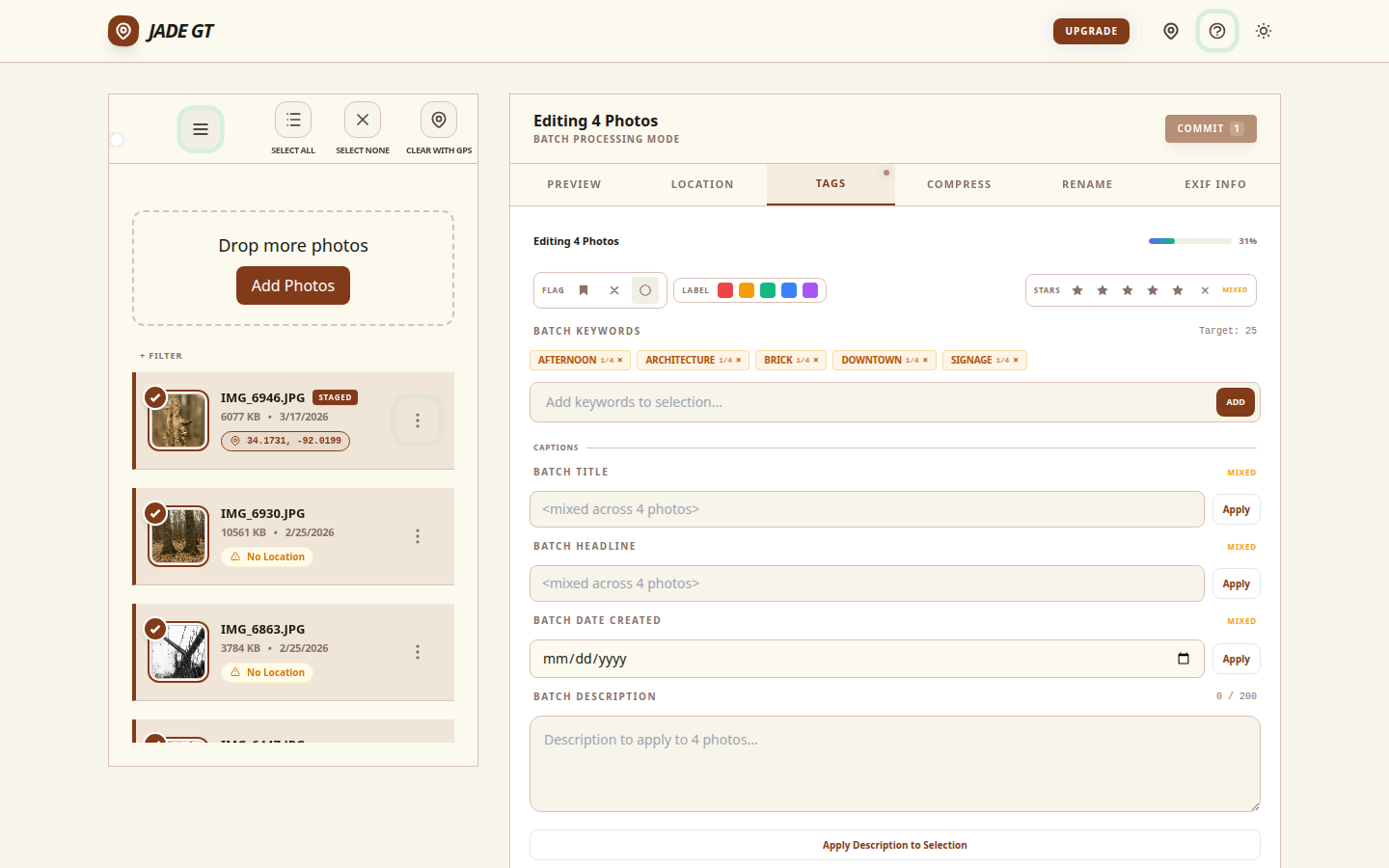
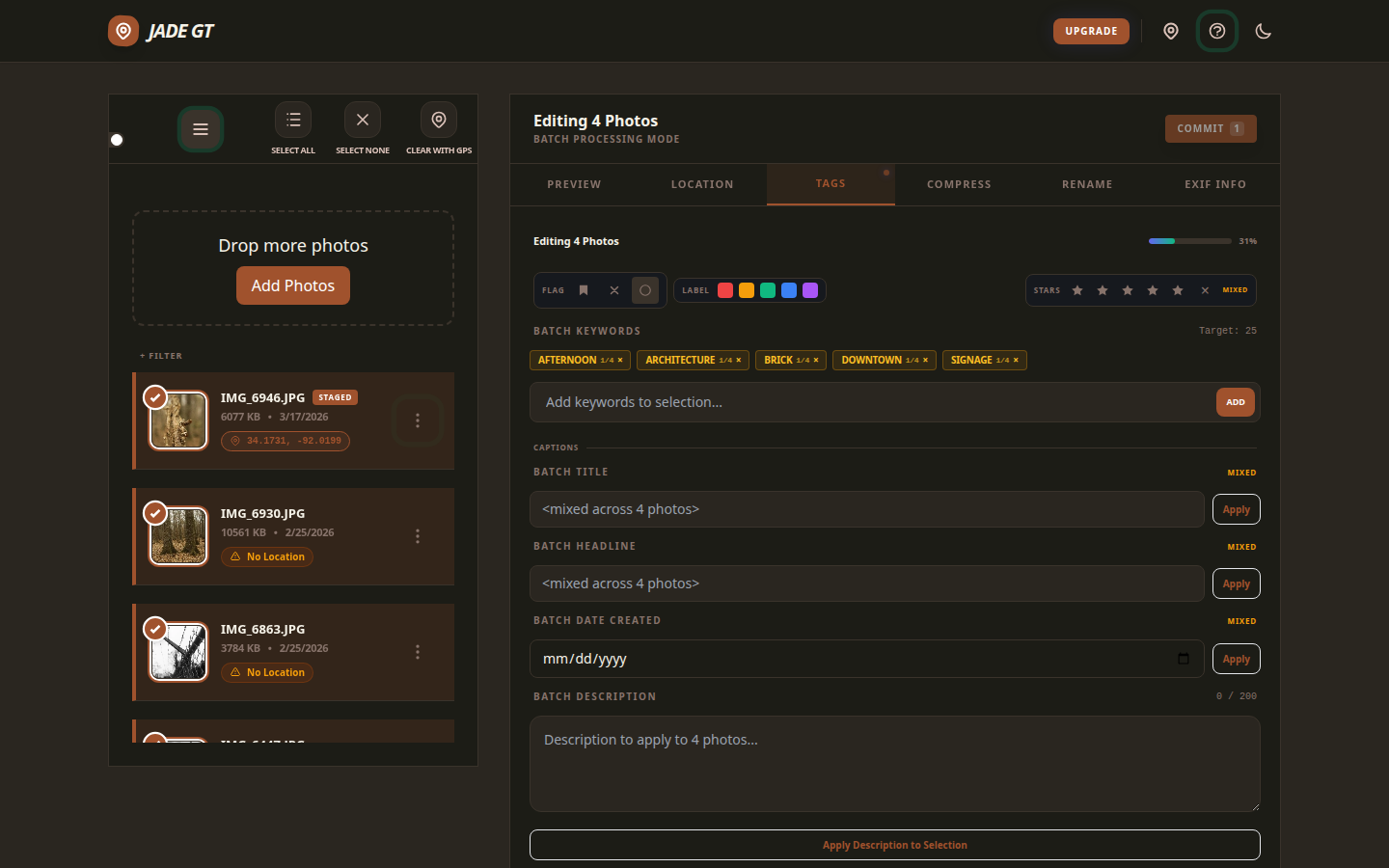
Select the frames covered by one release, the lead-talent setups, say. The tag and batch view lets you act on a selection rather than one file at a time.
3. Write the three fields to the whole group
Set Model Release Status to the correct one of the four values, Property Release Status likewise, and paste the agreed Usage Terms string. Apply to the selection. Every file in that group now carries the same release signal, written into plus:ModelReleaseStatus, plus:PropertyReleaseStatus, and xmpRights:UsageTerms.
4. Repeat per group, then verify
Re-select the next group, the unsigned-background frames, and write their values. Repeat until every frame is accounted for. Then open the EXIF viewer on a sample from each group and confirm the rights block reads the way you expect before anything leaves your drive.
5. Deliver a self-documenting set
When the folder reaches the client's DAM, every asset answers "is this cleared?" on its own. No attachment to chase, no email thread to reconstruct. The release paper still exists and still governs; the file now simply announces its own status.
The whole pass is three fields times a handful of groups, not three fields times three thousand files. That is the difference between a ten-minute step and an afternoon.
Does the embedded status replace the actual release document?
No, and this is the one place to be careful. The signed release is the legally operative document. The IPTC field is a signal about that document, not a substitute for it.
Think of it the way you think of a copyright line. Writing © 2026 Studio Name into dc:rights does not register your copyright; it announces it. The release-status field works the same way: it tells a DAM, a licensor, or a future you that a release exists and what it covers, so the right people can find the right paper when they need it. The ASMP guidance is clear that the release itself is the protection. The metadata just makes that protection legible to software.
Keep the signed releases archived the way you always have, ideally with their reference numbers mirrored into plus:ModelReleaseID and plus:PropertyReleaseID. The embedded status is what makes the archive findable from the asset, instead of the asset being an orphan that someone has to trace back to a paperwork folder by hand.
One quiet note on where your files go
Jade GT runs entirely in your browser. The commercial selects you drop, the release status you write, and the IPTC blocks Jade GT embeds never leave your machine. Nothing uploads. Nothing syncs to a cloud. For work under NDA, for unreleased campaign images, for anything a client would not want sitting on someone else's server, that is not a feature so much as a requirement. The file is edited in place, on your disk, the same place the camera wrote the shutter speed.
Try it on one delivery folder
Grab one delivery folder from a recent commercial job. Drop it into Jade GT, select the frames that share a release, and write Model Release Status, Property Release Status, and Usage Terms to the group. Open the EXIF viewer and watch the rights block fill in. If the set comes out self-documenting, your next client delivery just stopped generating "is this one cleared?" emails.
FAQ
Which value do I use for a product shot with no people in it?
Set Model Release Status to "Not Applicable," because there are no recognizable people to clear. Use "None" only when a recognizable person is present and not released. The same logic applies to Property Release Status for a shot with no releasable property in it.
Do I have to fill in the release ID fields?
No. plus:ModelReleaseID and plus:PropertyReleaseID are optional. They hold the identifier of the actual release document. If your forms carry reference numbers, populating them lets the file point back at the exact paper. If they do not, the status field alone is still useful.
Will the IPTC fields survive when the client imports into their DAM?
Yes. These are standard IPTC Extension and IPTC Core properties that Lightroom, Bridge, Capture One, and every major DAM read and preserve. They ride in the file's XMP packet, the same place GPS and copyright live.
Is embedding the status legal protection?
No. The signed release is the legally operative document, and this post is general information rather than legal advice. The metadata is a signal that a release exists and what it covers. Keep the actual releases archived.
Sources
- IPTC Photo Metadata User Guide (Model and Property Release Status, valid values)
- IPTC Photo Metadata Standard 2025.1 (Model/Property Release ID, Rights Usage Terms)
- IPTC Photo Metadata Standard, landing page (Core vs Extension schema)
- PLUS License Data Format: XMP Field Reference
- PLUS Coalition: License Data Format overview
- ASMP, Releases for Professionals (Strictly Business)
- Getty Images Contributors: Using Releases for Your Shoot
- Getty Images model release requirements, industry overview
- U.S. Copyright Office, Circular 14: Copyright in Derivative Works and Compilations
- APA National Business Manual (Licensing vs Buyout, estimating)
Delivering commercial work and your client's DAM keeps asking "is this cleared?" Reply or email me the workflow that does not fit the groups above. The next version of this guide comes from the shoots that break the pattern.

Reply to Kenny
Questions, corrections, or a workflow story of your own? Send a note. It goes straight to my inbox.