A Wedding Filename Convention That Survives a Second-Shooter Handoff
The short answer
Two cameras both shooting IMG_4231.CR3 on the same Saturday is a collision waiting to happen. Build a token-based filename like Smith_KeyWest_2026_A_00001.cr3 that bakes in the couple, the date, and a per-shooter letter, and apply it at ingest before anything moves. Then give the sequence counter enough digits, because a 3-digit counter wraps back to 000 at frame 1000 and starts overwriting your morning.
A second shooter hands you a card. Their Canon and your Canon both rolled off the factory line numbering frames the same way, so somewhere in those two folders there are two files named IMG_4231.CR3. Drop them into one ingest folder and one of them quietly wins. The other is gone, and you will not find out until the album proof is missing the kiss shot that the second shooter actually caught.
This is not a rare edge case. It is the default behavior of every camera that ships with a generic prefix, and it is exactly what a wedding filename convention exists to prevent. Get the schema right once and it protects every wedding after it. Get it wrong, or skip it, and you are trusting two independent cameras to never pick the same number on the same day. They will.
A note before we go further: I am a photographer, but I shoot streets and buildings, not weddings. Detroit alleys and Tucson facades, not first dances. The naming logic below is the same logic I use to keep an architectural archive sortable across years, re-applied to the wedding case using the workflows pros describe in places like dpBestflow, ShootDotEdit, and the camera makers' own manuals. The file mechanics are the part I can speak to first-hand. The wedding-day specifics are synthesized from those sources, cited inline.
Why do camera filenames collide on a two-shooter wedding?
Out of the box, your camera does not name files. It numbers them. A Canon body assigns numbers from 0001 to 9999 inside a folder, and in Continuous mode "file numbering is continuous up to 9999, even if you replace a card, create a folder, or switch the target card," per Canon's own EOS R6 manual. Nikon behaves the same way: the Z9 manual restarts numbering from 0001 once a folder hits 9999.
The prefix is the problem. Two Canon bodies both write IMG_. Two Nikons both write DSC_. The number is only unique within one camera's own counter, and nobody syncs counters between a primary and a second shooter. So on any given Saturday, both cameras pass through IMG_4231 independently, and both produce a file with that exact name.
Photography Life lays out the collision plainly: drop two files with the same name into the same folder and one overwrites the other, or your operating system silently appends a -2 that breaks your sort order. The article's fix is the same one every serious workflow lands on: rename at ingest so the device-generated name never survives into your library.
This is why dpBestflow, the ASMP and Library of Congress file-naming reference, treats unique filenames as a data-integrity rule rather than a cosmetic preference. A name that can collide is a name that can lose a file.
What makes a filename schema "good"?
A schema is a grammar: a fixed order of tokens that you fill in per job. The good ones share five properties, and each one maps to a failure it prevents.
| Property | Token that delivers it | Failure it prevents |
|---|---|---|
| Unique across shooters | Per-camera or per-shooter letter (A, B) |
Two IMG_4231.CR3 colliding |
| :material-sort-calendar: Sorts chronologically | Date prefix YYYY or YYYYMMDD |
Folders that sort by random camera number |
| Findable years later | Client and location text | "Which Untitled-47 was the Smiths?" |
| Survives the whole job | Zero-padded sequence wide enough to count every frame | Counter wrapping mid-wedding |
| Reusable per job | A saved pattern, not re-typed each time | Typos that fork your naming overnight |
Put together, a schema reads as an ordered string. A common shape that satisfies all five:
Client_Location_Year_Shooter_Sequence.ext
Smith_KeyWest_2026_A_00001.cr3
The ASMP Digital Photo Guide recommends putting the date up front and reserving enough sequence digits to cover the entire job, which is the backbone of this pattern. Keep to letters, numbers, and underscores; dpBestflow warns that spaces and characters like /, :, and * break on one operating system or another and can corrupt links between a raw file and its sidecar.
Which tool writes the tokens?
Every major ingest tool speaks this token grammar. The names differ, the idea does not.
In Photo Mechanic, you build the pattern from variables in curly braces. Camera Bits documents the full variable list: {datesort} for a YYYYMMDD prefix, {seqn} for the auto-incrementing sequence, {serialnum} for the camera's serial if you want the shooter token to be automatic rather than a manual letter. The Camera Bits variables primer covers how those tokens combine into a template.
In Lightroom Classic, the same job lives in the Filename Template Editor, where Adobe's reference exposes Sequence, Date, and Custom Text tokens you assemble into a saved preset. Adobe Principal Evangelist Julieanne Kost has a clean walkthrough of building a custom template that combines client text, date, and a sequence into one reusable pattern.
At the command-line layer, ExifTool does the same rename with format codes. Phil Harvey's FileName documentation shows %c adding a copy number to dodge collisions, and the -w rename syntax lets you pad sequence widths precisely.
The point across all three: write the schema once as a saved pattern, then reuse it. Re-typing a pattern by hand each Monday is how a stray underscore or a dropped digit forks your naming and quietly splits one wedding into two sort orders.
How do you keep a second shooter's files from colliding with yours?
The shooter token is the load-bearing piece, and it only works if it goes in early.
dpBestflow calls this "early binding": renaming at ingest, the moment the card comes off the camera, before culling, before selects, before anything moves. Defer the rename until after you have merged both shooters' cards and the collision has already happened. The duplicate IMG_4231.CR3 files are sitting in one folder, and now you are renaming files that already overwrote each other.
The handoff has a few predictable edge cases. Here is how the schema absorbs each one:
Dual-card primary, or a photographer carrying two bodies. Give each body its own letter (A and B) in the shooter slot, or let Photo Mechanic pull {serialnum} so the camera tags itself. Same date, same client, different bodies, zero collisions.
They hand you a card or a drive. Agree on the schema in advance, assign them a letter (B), and have them rename at their own ingest, or rename their card yourself the moment it lands. ShootDotEdit's second-shooter checklist covers the card-handoff and clock-sync habits that make a shared schema actually hold up on the day.
A morning ceremony and an evening one, same couple or two different couples. The client and location tokens already separate them. If it is one couple with two venues, add the venue to the location slot so Smith_Chapel and Smith_Reception stay distinct.
PhotoShelter's DAM best-practices guide makes the same case at library scale: standardize the convention across everyone who touches the files, and rename device-generated names at ingest rather than living with them.
When 999 is not enough: photo sequence numbering on a big wedding
Here is the failure that hides inside an otherwise perfect schema: the counter. Photo sequence numbering looks trivial until the day the count runs past the digits you reserved for it.
A full wedding day plus reception runs long. Eight to twelve hours, continuous burst during the ceremony and the dances, two or three bodies. Fifteen hundred frames is an easy day, and a busy one clears two thousand. Now look at your sequence token. If it is three digits, it counts 001, 002, on up to 999, and then it has nowhere to go.
What happens at 999 depends on the tool, and none of the outcomes are good:
- Wrap to
000. Frame 1000 becomes..._000, which already exists as frame zero. Now you have two files fighting for one name, the exact collision the schema was supposed to kill. This is the silent one. No error, no warning, just a quietly overwritten frame. - Overflow to four digits mid-run. The counter spills to
1000, and now..._999sorts after..._1000in any tool that sorts text left to right, because9comes after1. Your timeline scrambles. - Hard stop. Some cameras simply refuse. Nikon's Z9 manual disables the shutter once folder
999fills, and Canon's R6 manual states that "if the file number in folder 999 reaches 9999, shooting will not be possible even if the card still has free space." That is the camera-side bound; the rename-side bound is the one you control.
The fix is digit width. Padding the sequence to five digits gives you 00001 through 99999: room for ninety-nine thousand frames in one job, with correct left-to-right sorting the entire way. Camera Bits documents padding {seqn} with leading zeros to any width, and the Controlled Vocabulary file-naming reference makes the explicit case for zero-padded sequences wide enough to sort: pick a width that covers the largest job you will ever shoot, then never think about it again.
The wrap is silent, which is what makes it dangerous
A counter that wraps does not throw an error. It writes a filename that happens to already exist, and the second write wins. You will not see it on ingest. You will see it weeks later when a delivered gallery is short a frame and the original is gone. A long-running DPReview thread documents photographers hitting exactly this rollover pain in the field. The cost of avoiding it is two extra zeros in a pattern you type once.
How wide is wide enough? Match the digit width to your biggest realistic job, then add a margin:
| Day type | Realistic frame count | Minimum safe digits |
|---|---|---|
| Portrait session | 100 to 400 | 4 (0001) |
| Standard wedding | 1,000 to 2,500 | 4, prefer 5 |
| Two shooters, full day | 2,000 to 5,000 | 5 (00001) |
| Multi-day or destination | 5,000+ | 5, prefer 6 |
For most wedding pros, five digits is the answer that never bites you. The argument for a configurable counter, anywhere from three to six digits, is that you size it to the job instead of hoping three is enough.
How does this work in Jade GT?
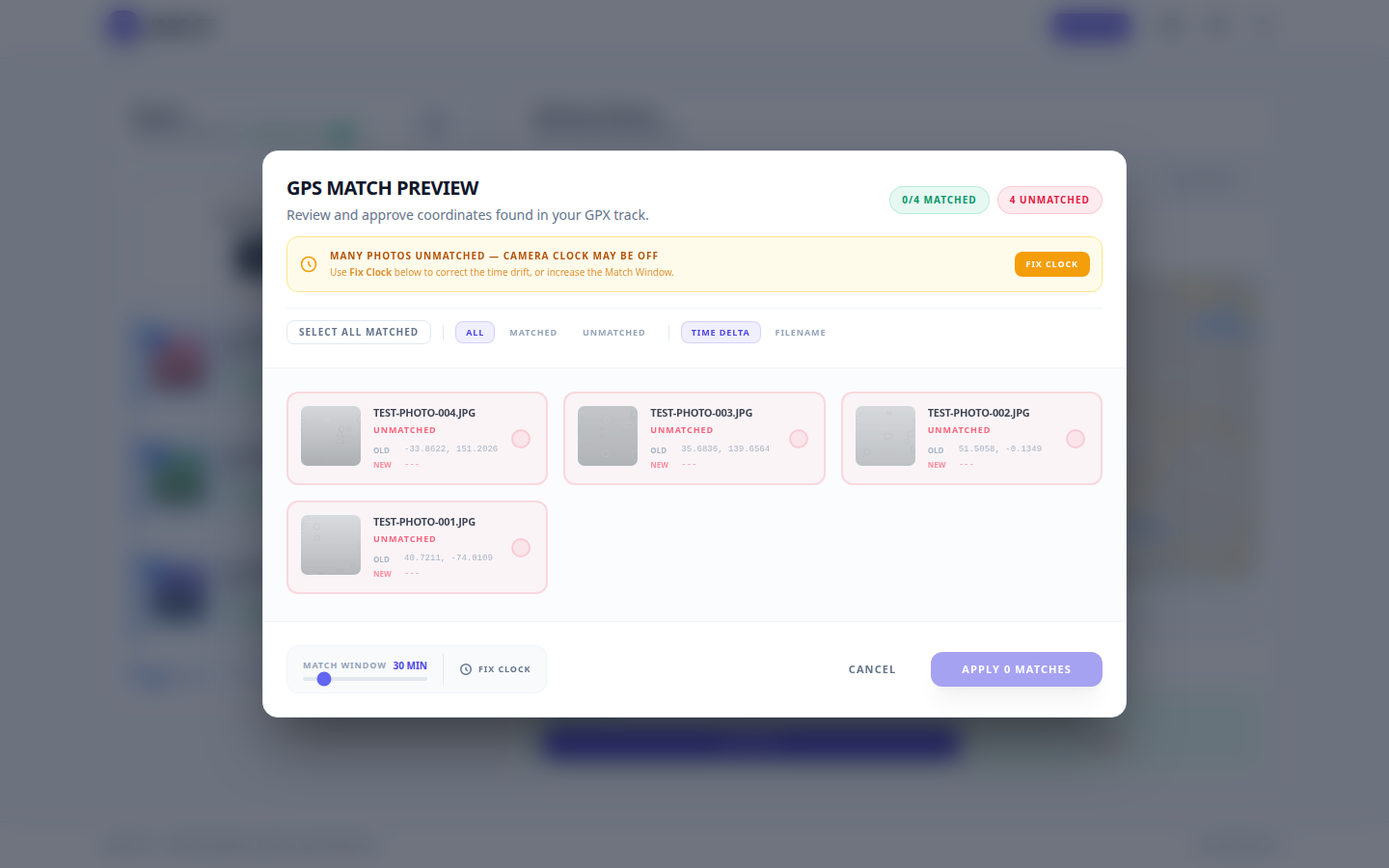
Jade GT does the ingest-time rename in a browser tab, before Lightroom ever opens. Drop the card's folder onto the Rename tab, build the token pattern (client, location, year, shooter letter, sequence), and watch the live preview show you the resulting filenames on the first ten files before you commit to all two thousand.
A few honest notes on where the product is today:
- Saved schema presets are on the roadmap, not shipped. Right now you build the pattern per session. The point of this post is the workflow you want; preset saving is the convenience layer that follows it.
- The sequence counter currently caps at three digits. Widening it to a configurable three-to-six-digit range is exactly the fix this post argues for, and it is in progress. Until it ships, a five-digit single-job wedding needs care: keep the per-card frame count under the wrap point, or split very large jobs.
The schema thinking here holds regardless of which tool you use, and the digit-width fix matters whether you rename in Photo Mechanic, Lightroom, ExifTool, or Jade GT.
One quiet note on where your files go
Jade GT runs entirely in your browser. The rename happens on the file sitting on your disk. Nothing uploads, nothing syncs to a cloud, nothing trains an AI on your couple's wedding, because the files never leave your machine in the first place.
The filename and the embedded metadata are written into the file itself, the same place the camera writes the shutter speed. When you import into Lightroom, the new names and the IPTC and EXIF fields are already there.
A note on metadata fields, not just filenames
A filename is the outside of the file. The inside carries the fields that travel with it everywhere, and a good ingest pass writes both. Worth naming the specific field IDs, because friendly labels hide which block actually holds the data:
- Copyright lives in IPTC
Copyright(XMPdc:rights) and the creator in IPTCCreator(XMPdc:creator); the IPTC copyright fields that actually protect wedding photos cover what to write in each. - The event or couple title goes in IPTC
Title(XMPdc:title); keywords in IPTCKeywords(XMPdc:subject). - Capture time is EXIF
DateTimeOriginal, which is also what a sequence-by-time rename reads.
General information, not legal advice: embedding a copyright string does not register a copyright, and naming conventions are about retrieval and integrity, not ownership claims. For the full metadata pass that pairs with this rename, see Organize 2,000 Wedding Photos Before Lightroom Even Opens.
FAQ
Should the shooter token be a letter or the camera serial number?
Either works. A manual letter (A, B) is human-readable and obvious in a sort. The camera serial, pulled automatically with a token like Photo Mechanic's {serialnum}, removes the chance of a human assigning the wrong letter. For a two-person team, a letter is usually enough; for a studio with a rotating roster of associates, the serial scales better.
Where in the name should the date go?
Up front, in YYYY or YYYYMMDD form, if you want folders to sort chronologically on their own. The ASMP guide recommends a date prefix for exactly this reason. If you would rather group by client first, lead with the client token and keep the date as the second field; just be consistent across every job.
Is five digits overkill for a normal wedding?
No. A standard wedding can clear 2,000 frames, and a four-digit counter only buys you to 9,999. Five digits costs one extra character and removes the wrap risk entirely. The only reason to go narrower is a strict downstream system that caps filename length, which is rare.
Can I fix names after the cards are already merged?
Partly. If two files already collided and one overwrote the other, that frame is gone and no rename brings it back. That is why the rename belongs at ingest, before the merge. If the files merely sort wrong but none were lost, a batch rename with a proper token pattern repairs the order.
Try it on ten photos
Grab ten frames from a recent shoot, ideally a few from two different cameras. Drop them into Jade GT, build a token pattern with a shooter letter and a padded sequence, and watch the preview. If the output is the name you wish your library had been using all along, the next wedding's ingest is already designed.
Sources
- Canon EOS R6 File Numbering (Canon product manual)
- Nikon Z9 d8: File Number Sequence (Nikon online manual)
- How to Avoid Duplicate File Names (Photography Life)
- File Naming, dpBestflow (ASMP / Library of Congress)
- Ingestion, dpBestflow (ASMP / Library of Congress)
- ASMP Digital Photo Guide (2019 PDF)
- List of Photo Mechanic Variables (Camera Bits)
- Introduction to Variables in Photo Mechanic (Camera Bits)
- The Sequence Variable {seqn} (Camera Bits / Photo Mechanic)
- Filename Template Editor in Lightroom Classic (Adobe)
- Renaming Photos using File Name Templates in Lightroom Classic (Julieanne Kost, Adobe)
- FileName and Directory tags (ExifTool)
- 8 Important Digital Asset Management Best Practices (PhotoShelter)
- The Ultimate Second Shooter Checklist for Wedding Photos (ShootDotEdit)
- Filenaming Conventions for Managing Image Collections (Controlled Vocabulary)
- 9999 File Number Rollover Bug thread (DPReview forum)
I shoot streets and buildings, not weddings, so the wedding-day specifics here are synthesized from the sources above, not from a Saturday I worked. If your handoff has an edge case the schema above does not cover, reply or email. The next version comes from the workflows that did not fit.
Reply to Kenny
Questions, corrections, or a workflow story of your own? Send a note. It goes straight to my inbox.